
Why 2innov8 Is Sharing This
At 2innov8, we exist to connect organisations with transformational technologies that unlock new value. Innovation isn’t just about new products, it’s also about creating safer, more resilient workplaces. With regulatory requirements, complex supply chains and distributed teams, the old ways of managing safety, endless spreadsheets, paper forms and siloed systems, no longer cut it. We believe that digitising safety management is a key pillar of operational excellence.
Over the past few months, Adam ran live safety processes using a variety of tools: logging incidents on a warehouse floor from his phone, scheduling mock audits, reviewing compliance alerts and tracking training status across a test team. His mission wasn’t to repeat marketing claims, he wanted to see which systems actually made life easier and which ones created more work. The result is a no-nonsense roundup of the best safety management solutions you should consider in 2026. We’re sharing his findings because they align perfectly with 2innov8’s commitment to sustainable innovation and because we think modern safety platforms, especially the Connected Safety Net solution highlighted below can transform our clients’ operations.
How I Chose These Tools
I dove into each product with a simple question: Would this actually
make my real safety program stronger and simpler, or just create
work? Here’s what my process looked like:
• Ease of use – Did I get value right away, no steep learning
curve?
• Reliability – Did everything work smoothly under pressure?
• Output quality – Was the data usable for reports, decisions,
or compliance?
• Overall vibe – Did it feel robust and actually helpful (not just
busywork)?
• Pricing – Did it feel like a good investment for what you get?
Now for the results.
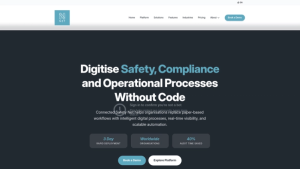
Connected Safety Net: Best overall
The fastest, smartest way to digitize every safety process-no coding
(or compromise) required.
When it comes to transforming every part of safety management-
from quick incident reports and compliance tracking to advanced
analytics and audits-nothing matched Connected Safety Net for
me. This was the only truly no-code, all-in-one platform I tried
where I could automate forms, workflows, and reporting exactly
how I wanted, with zero developer headaches.
I loved that I could build or tweak complex safety processes and
dashboards in minutes. I also tested offline reporting out in a
network dead zone-it worked, and synced later without a hiccup.
Global compliance wasn’t just a talking point either. I set it up to
handle training and documentation in multiple languages, then
checked out how easily deadlines and alerts crossed country lines.
Centralized document management, auto-scheduling of audits, QR-
based public reporting (even from contractors or the public, no
login needed)-it all worked, and it felt, frankly, futuristic. Power BI
integration meant I could get deep, real-time insights out of the
box without wrestling with exports or data wrangling. There is a
learning curve for mapping your existing processes at first, but I
found it’s worth it when you see how fast and flexible the platform
becomes.
What I liked
I had total workflow control and automation without a single
line of code.
• Offline-native mobile apps and QR code access just worked-
even for non-users.
• Serious enterprise features (real-time alerts, global
compliance, document versioning, analytics) were built in from
the start.
• I could go deep on analytics or keep it simple, depending on
the project.
Where it could improve
• I had to request a custom quote-no pricing on the website
(but the starting rates were better than most I compared).
• Some advanced modules (like AI analytics) had to be enabled
separately.
• The flexibility meant planning setup to match my process was
key-it’s not “plug and play” for totally new users.
• No forever-free plan-only a 4-week full-access free trial.
Pricing
Plans start under typical UK market rates-around £18–£33 per user
per month depending on your size and needs. Everything’s custom,
so you’ll need to chat for a quote, but the free trial felt risk-free.
If you want serious control over every safety process (no matter
how complicated) and you care about real flexibility, Connected
Safety Net would be my pick. It replaced more tools than anything
else I’ve tried.
Intelex Incident Management Software: Best
for Incident Reporting and Investigation
For teams who want incident reporting that’s fast, structured, and
actually drives investigations, Intelex Incident Management
Software delivers on its reputation. I challenged it with “walk and
report” tests around a mock facility, snapping photos with my
phone and logging reports right from the field.

The real magic is in the automation. When I submitted a test
incident, relevant managers were instantly notified, and the
investigation workflow launched itself-no need to chase emails. I
could upload evidence, tag root causes, and the dashboard started
surfacing patterns after just a few entries. I liked how the
compliance tools helped me stay on track with regulatory reporting,
even prompting me for details needed for OSHA and similar
standards.
Why it clicked for me
I found the reporting flow and mobile access effortless-even
for people with zero training.
• Customizing workflows meant it fit my real process, not the
other way around.
• Automated analytics highlighted repeat issues and suggested
corrective actions.
• Dashboards and visualizations were powerful but didn’t
overwhelm.
A few drawbacks I noticed
Getting the system configured to match a big org’s process
takes time and focus.
• Pricing info wasn’t available upfront-and could be too much
for a small business.
• I got a bit lost in the customization menus at first.
• Complex data sets (lots of records or rules) could slow things
down.
Pricing
You’ll need to request pricing. It’s designed more for mid-sized to
large teams or those with compliance focus.
If your bottleneck is slow or inconsistent incident reporting, or you
want to make investigations automatic and actionable, Intelex is a
solid choice.
iAuditor by SafetyCulture: Top pick for Audit
and Inspection Management
Running safety audits and field inspections is one of the biggest
headaches in safety management-especially when tracking follow-
ups and evidence. Enter iAuditor by SafetyCulture, which won me
over for how it simplified everything from checklist building to
compliance-ready reports.
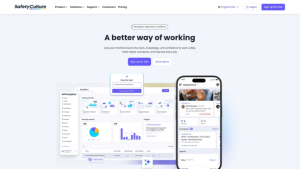
I created and tweaked digital checklists using a drag-and-drop
editor-zero learning curve there. Setting up audit schedules with
auto-reminders was straightforward, and my phone became a
powerful inspection tool, even with weak signals in the back
warehouse. Taking photos, adding annotations, and getting instant,
shareable reports from inspections made the process feel almost
enjoyable. Analytics were clear and made it easy to spot recurring
issues before they became disasters.
Why it worked for inspection nuts like me
Super easy to create inspection forms, even for people who
don’t like tech.
• Offline capability meant no reliance on office Wifi-critical for
in-the-field audits.
• Automated reminders and follow-ups were a true time-saver
and kept audits on track.
• Reports looked so clean I barely had to tweak them before
sharing.
What slowed me down
Advanced features (like integrations) were only on higher-tier
plans.
• Customizing some workflows took a bit of trial and error.
• Smaller teams might find the price steep.
• Integrating with other tools needed more setup than I
expected.
Pricing
Premium starts at $24 USD per user monthly. Enterprise and free
starter plans are available, but you’ll need to talk to the team for
custom needs.
If audits and inspections are your main pain point, iAuditor offers
the smoothest, most mobile-first experience I’ve found.
Cority: Strongest for Compliance and Regulatory Management
If your main worry is tackling an overwhelmingly complex or
constantly changing compliance landscape, you can’t go wrong
with Cority. I put it to the test by setting up mock permits,
managing internal and external compliance deadlines, and
importing different regulations across countries.
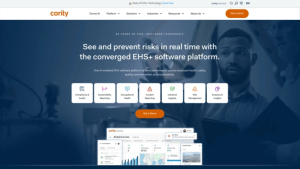
Everything about Cority is built around staying ahead of regulations.
I liked how it centralized all my compliance records, auto-tracked
training and document renewals, and sent timely reminders so
nothing slipped through the cracks. The reporting tools made it
easy to generate proof for audits. With advanced workflow
customization, I could adapt Cority to nearly any process or
industry-which is both a blessing and a challenge.
The standout features for me
Compliance automation actually reduced my admin time.
• Real-time dashboards made it easy to track global compliance.
• Reporting tools felt audit-ready out of the box.
• The platform could handle big organizations with complex,
multi-jurisdictional needs.
Areas that challenged me
The sheer number of features meant a longer learning curve.
• Onboarding was a project-not a weekend job.
• I couldn’t get clear pricing without a call, and it’s not aimed at
small budgets.
• Handling mega datasets could slow performance at times.
Pricing
It’s a “contact for quote” setup, definitely designed for bigger organizations.
If you live and breathe compliance, or want a platform that stays on top of evolving regulations for you, Cority deserves a look.
Enablon: Best for Risk Assessment and Hazard Identification
When my focus shifted to risk and hazard identification-especially
across large and scattered teams-Enablon immediately stood out. I
used it to build risk registers, apply custom risk matrices, and
monitor hazards across demo sites.
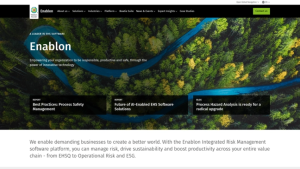
Enablon’s structure helped me get granular with risks, tie evidence
like photos or files to each record, and see everything on real-time
dashboards. Automated workflows meant I could escalate or resolve
hazards with just a click. What set it apart was the ability to deeply
configure assessments to fit almost any business or industry
scenario. Integration with other systems allowed all my risk data to
live in one place-which, for enterprise users, is a huge deal.
What made it a winner for me
Customizable risk matrices fit every scenario I could throw at
it.
• Attaching supporting docs, images, and audit trails felt
seamless.
• Dashboards offered quick risk snapshots and trending info.
• I saved time with workflow automation and automatic
notifications.
My sticking points
Set up can feel daunting without dedicated training.
• The system is priced for enterprises-not practical for startups.
• The sheer breadth of features can feel overwhelming at first.
• Some support requests took time to resolve.
Pricing
Reach out directly for pricing-geared to enterprise or multi-site teams.
If you want serious transparency and control over risk across the
organization, Enablon’s structure and automation deliver impressively.
SAP SuccessFactors Learning: Top Choice for Employee Training and Certification Management
Keeping track of employee safety training and certifications is a full-
time job in itself. Out of all the LMS platforms I tried, SAP
SuccessFactors Learning was truly built for organizations with high
or complex requirements-think regulated industries or large, global
teams.
I loaded up a ton of demo training, created expiration alerts, and
simulated both periodic certification renewals and regulatory audits.
The system was built for compliance: automated notifications made
it impossible for lapses to go unnoticed, and every training record
and certification was instantly searchable for audits. I saw how well
it tied into HR and other enterprise functions, giving a full picture of
workforce safety compliance.
Why it delivered for me
Training and certification tracking was basically hands-free
after set up.
• Audit trails and search made documentation simple, even
under pressure.
• Scaled easily to hundreds or thousands of employees.
• Integration with other SAP and HR tools helped centralize
everything.
What was less great
Setup and onboarding was not quick-plan on investing time.
• Probably overkill for small businesses or teams that need “just
enough.”
• Not the freshest or trendiest UI compared to modern SaaS
tools.
• Again, no transparent pricing-and it’s not a bargain option.
Pricing
All custom quotes based on org size and configuration-contact SAP
for details.
If your pain is training compliance or you have a workforce with
constantly changing requirements, SAP SuccessFactors Learning will
make your audits and reminders bulletproof.
Final Thoughts
It’s easy to get dazzled by shiny safety software until you actually
have to live with it-and your team does too. Out of every system I
tested, only a small handful really took stress out of safety
management, instead of just shifting it around.
Connected Safety Net was the all-rounder for me. It hit every
mark, replaced multiple tools, and didn’t box me into clunky
workflows. If you have a specialized problem-whether it’s instant
incident reporting (Intelex), smooth field inspections (iAuditor),
serious compliance (Cority), deep risk visibility (Enablon), or
bulletproof training compliance (SAP SuccessFactors Learning)-the
right platform will make your job easier, not harder.
Don’t be afraid to demo a few and walk away from the ones that
don’t feel right. When you find the tool that fits your needs and
makes the process genuinely easier, you’ll know. That’s when safety
management stops being a burden and starts driving real value.
What You Might Be Wondering About Safety
How do I decide which safety management software is best for
my team’s unique needs?
Look for a platform that matches your workflow complexity and
staff tech comfort. In my testing I found tools like Connected Safety
Net best if you need lots of customization and automation, while
simpler apps might be fine if your needs are more basic. Always try
the free trial or demo and evaluate core features like reporting, ease
of use, and compliance flexibility before committing.
Are cloud-based safety management solutions reliable for
teams that work offline or in remote locations?
This was a big concern in my own assessments. Some platforms (like
Connected Safety Net) handled offline data entry and auto-synced
once back online without any data loss. Make sure to test a
product’s offline capabilities if your team often works in low-
connectivity areas.
What should I look for to ensure my safety data is secure and
meets compliance requirements?
Data security and compliance readiness are critical in safety
management software. I looked for tools with encrypted data
storage, permissions controls for sensitive info, and audit trails you
can pull for inspections or legal reviews. Check whether the software
supports your regional regulations or international standards if you
operate across borders.
What are the hidden costs or limitations to watch out for with
these platforms?
Definitely keep an eye on pricing tiers and what’s actually included-
some platforms charge extra for analytics, user seats, or integration
features. I also suggest checking contract terms for hidden fees
around storage limits or premium support. Always ask about total
cost of ownership before rolling out to your whole team.
Final Thoughts
Connected Safety Net was the all-rounder for Adem. It hit every mark, replaced multiple
tools and didn’t box into clunky workflows. If you have a specialised problem, whether it’s
instant incident reporting (Intelex), smooth field inspections (iAuditor), serious compliance
(Cority), deep risk visibility (Enablon) or bulletproof training compliance (SAP SuccessFactors Learning) the right platform will make your job easier, not harder.
Don’t be afraid to demo a few and walk away from the ones that don’t feel right. When you
find the tool that fits your needs and makes the process genuinely easier, you’ll know. That’s
when safety management stops being a burden and starts driving real value.